
Accounts and users
Accounts live in the site itself (in data/users.db), not in configuration files. There are two kinds: admins,
who manage the accounts, and everyone else. The first account is always an admin.
Adding people
Section titled “Adding people”Admins see Users in the header. There you can add someone with a user name and a starting password. With Must choose a new password at first login (on by default), they’re asked to pick a new password right after their first login, so you don’t keep knowing it.
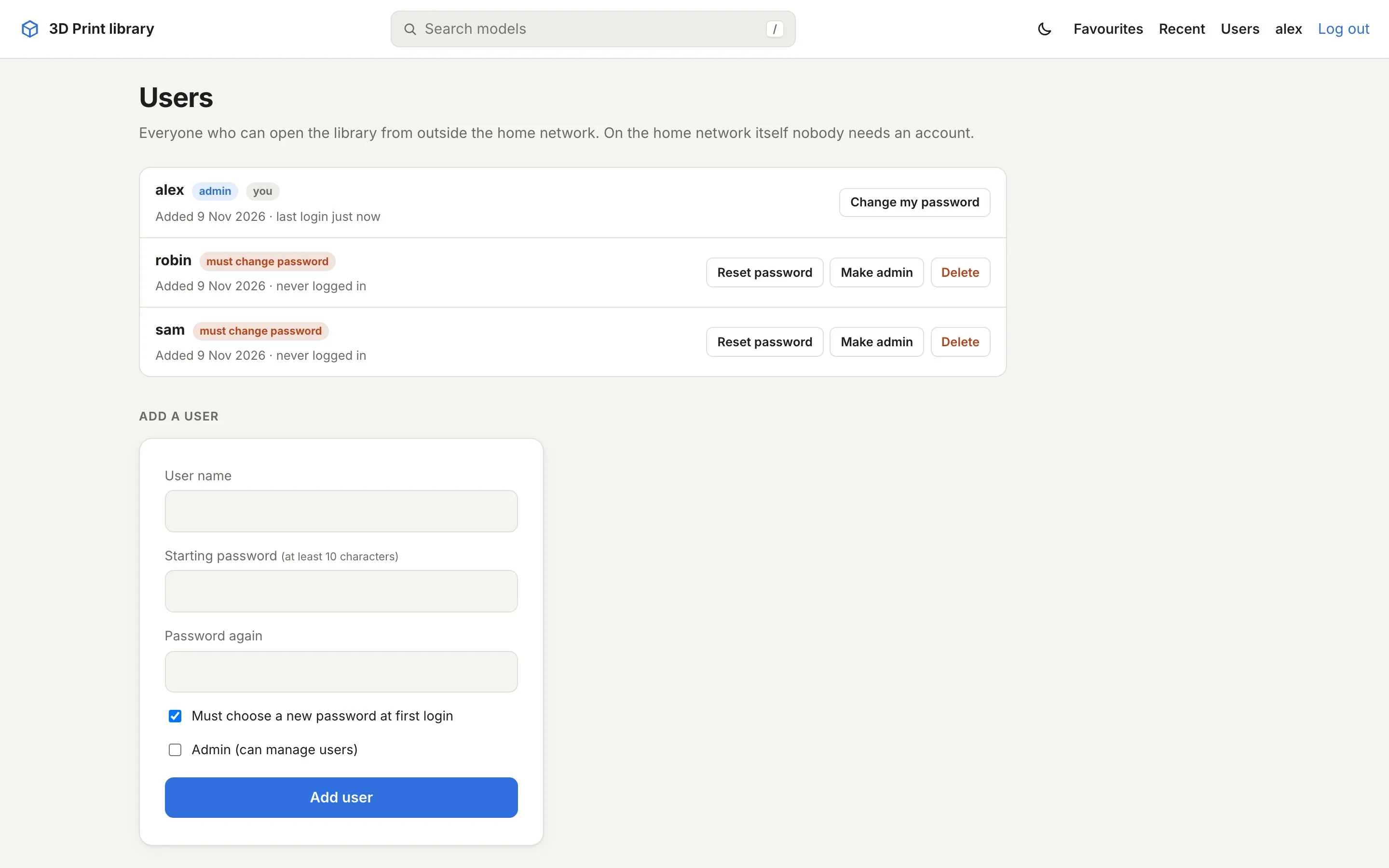
For each account you can also:
- Set a new password, optionally with Must choose a new password at next login. This logs them out everywhere.
- Make admin or Remove admin.
- Delete the account. This ends their sessions and removes their favourites.
The last admin can’t be removed or deleted, so there’s always someone who can manage accounts.
Your own account
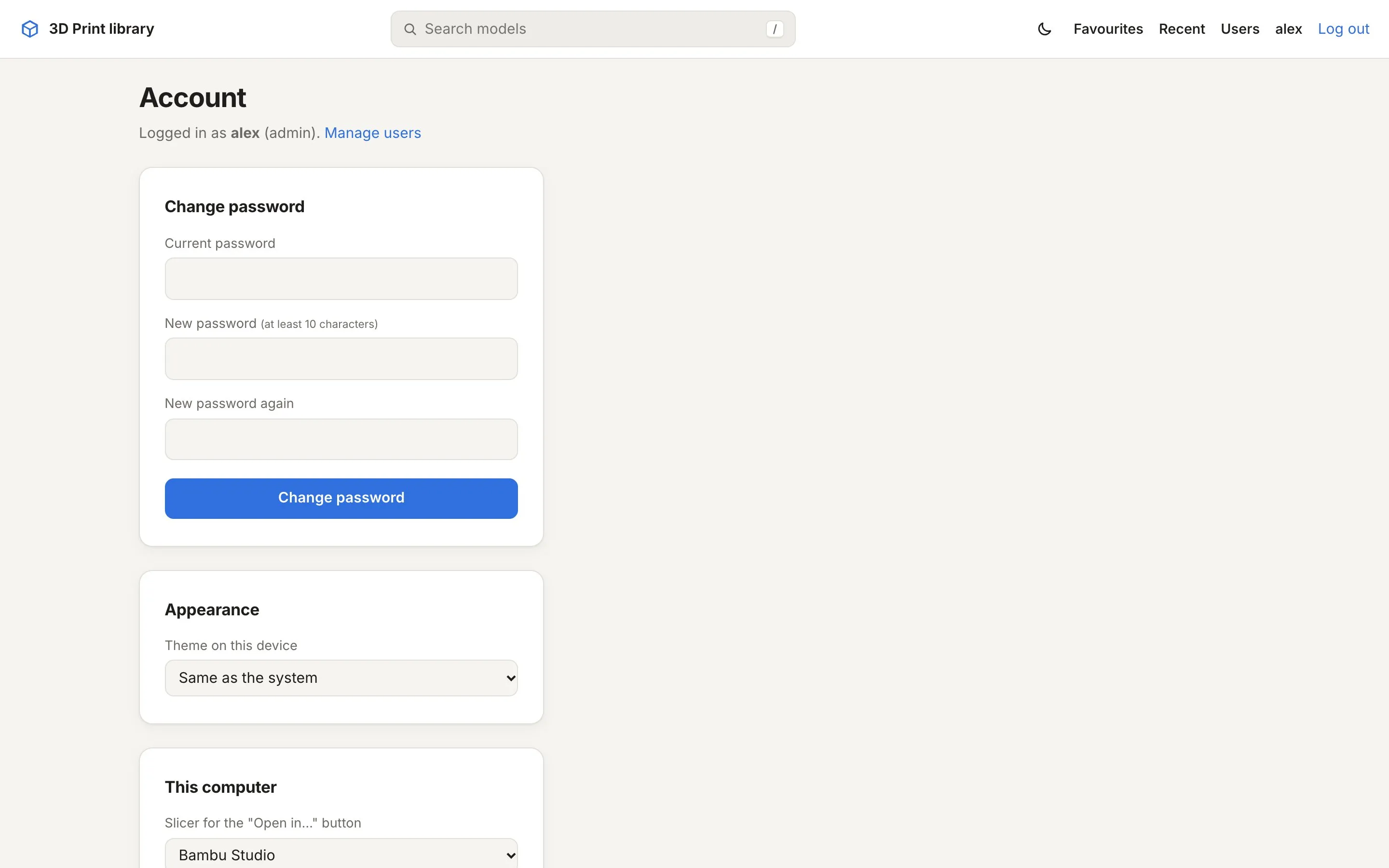
Section titled “Your own account”Click your name in the header to open Account. There you change your password (this logs out your other devices) and set what applies to this browser only: light or dark, which slicer the “Open in” button uses, and whether to open the local copy.
The home network
Section titled “The home network”With TRUSTED_NETWORKS set, anyone who opens the site directly from that network is let in without a login, as
“Home network”. They can do everything except manage accounts. Favourites starred this way are shared by everyone on
the home network.
Through a reverse proxy the login is always required, even from home. See Reverse proxy and HTTPS.
Sessions and limits
Section titled “Sessions and limits”- Logins stay valid for 30 days with Keep me logged in, otherwise until the browser closes.
- Changing or resetting a password, and deleting an account, ends the sessions on other devices right away.
- After 8 wrong logins in 5 minutes from one address, that address has to wait a few minutes. Password changes are limited per account in the same way.